> ## Documentation Index
> Fetch the complete documentation index at: https://docs.0xarchive.io/llms.txt
> Use this file to discover all available pages before exploring further.
# Tape CVD
> Cumulative volume delta from the tape, in USD, with each bar's delta as a histogram.
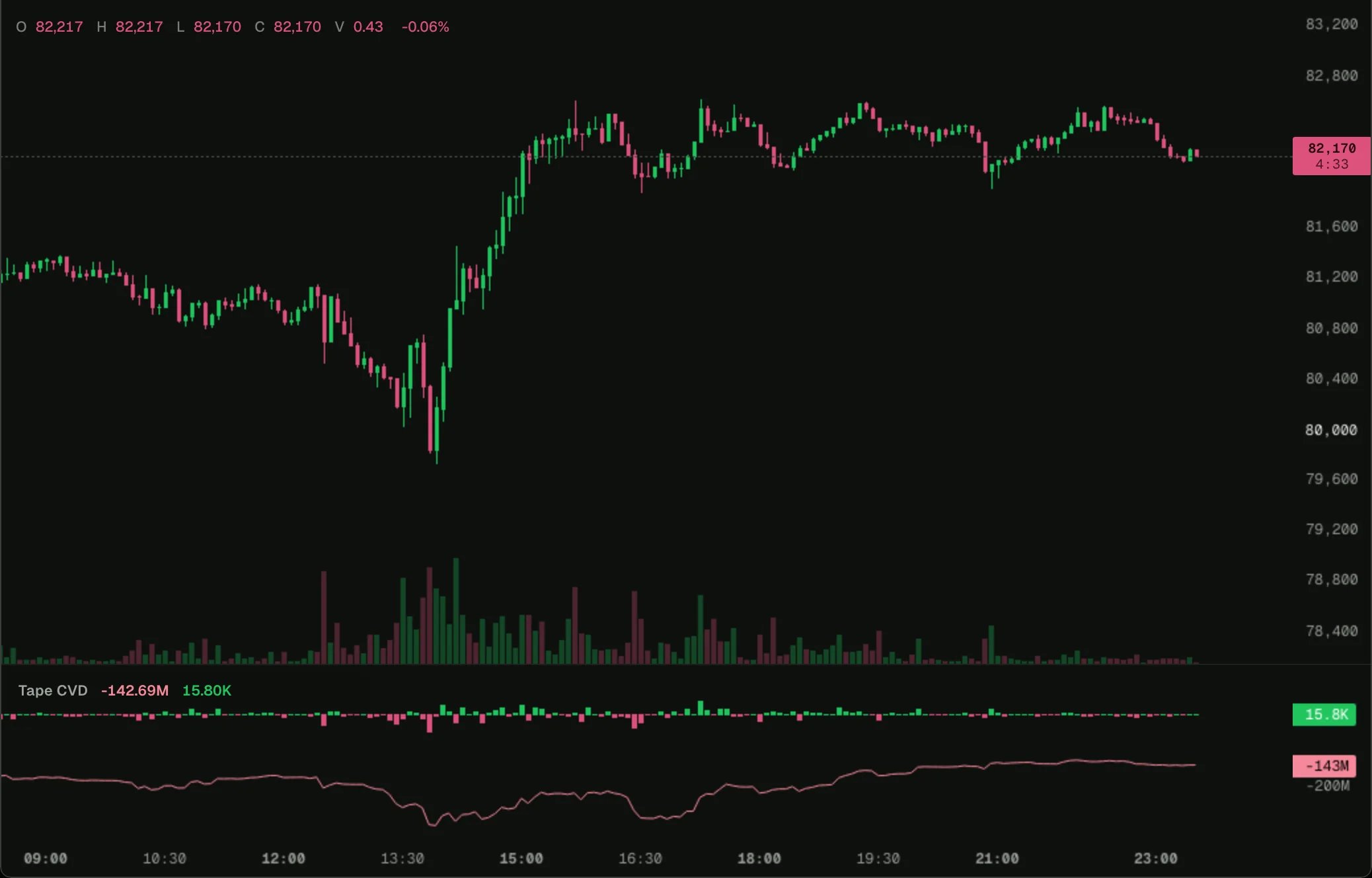 Load it on BTC 5m in the terminal, then change its settings or open it in the script editor.
Taker buys less taker sells on each bar, in USD, as bars, and their running sum as a line: cumulative volume delta, built from every trade.
## How it works
A [tally](/terminal/guides/state#tallies) adds each trade as it arrives. The running total is [`state.bar`](/terminal/guides/state#state), added to in `onClose`, so the forming bar shows the total so far without adding it twice: every update of the forming bar starts again from the last closed bar.
## The script
```ts cvd.ts theme={"theme":"github-dark"}
// Cumulative volume delta from the tape, in USD like the chart's own CVD: each bar's taker buys minus sells (size times price), summed.
indicator('Tape CVD');
const chart = bars();
const tape = trades();
const delta = tally();
const total = state.bar(0);
const cvd = plot.line('CVD');
const deltaBars = plot.histogram('Delta');
tape.onTrade((t) => delta.add(t.side === 'buy' ? t.notional : -t.notional));
chart.onBar(() => {
if (!tape.available) return;
deltaBars.set(delta.value, delta.value >= 0 ? color.up : color.down);
cvd.set(total.value + delta.value);
});
chart.onClose(() => {
total.value += delta.value;
});
```
## Next step
See the next example, [Funding and open interest](/terminal/examples/funding-oi).
This documentation is built and hosted on [Mintlify](https://mintlify.com), a developer documentation platform.
Load it on BTC 5m in the terminal, then change its settings or open it in the script editor.
Taker buys less taker sells on each bar, in USD, as bars, and their running sum as a line: cumulative volume delta, built from every trade.
## How it works
A [tally](/terminal/guides/state#tallies) adds each trade as it arrives. The running total is [`state.bar`](/terminal/guides/state#state), added to in `onClose`, so the forming bar shows the total so far without adding it twice: every update of the forming bar starts again from the last closed bar.
## The script
```ts cvd.ts theme={"theme":"github-dark"}
// Cumulative volume delta from the tape, in USD like the chart's own CVD: each bar's taker buys minus sells (size times price), summed.
indicator('Tape CVD');
const chart = bars();
const tape = trades();
const delta = tally();
const total = state.bar(0);
const cvd = plot.line('CVD');
const deltaBars = plot.histogram('Delta');
tape.onTrade((t) => delta.add(t.side === 'buy' ? t.notional : -t.notional));
chart.onBar(() => {
if (!tape.available) return;
deltaBars.set(delta.value, delta.value >= 0 ? color.up : color.down);
cvd.set(total.value + delta.value);
});
chart.onClose(() => {
total.value += delta.value;
});
```
## Next step
See the next example, [Funding and open interest](/terminal/examples/funding-oi).
This documentation is built and hosted on [Mintlify](https://mintlify.com), a developer documentation platform.