

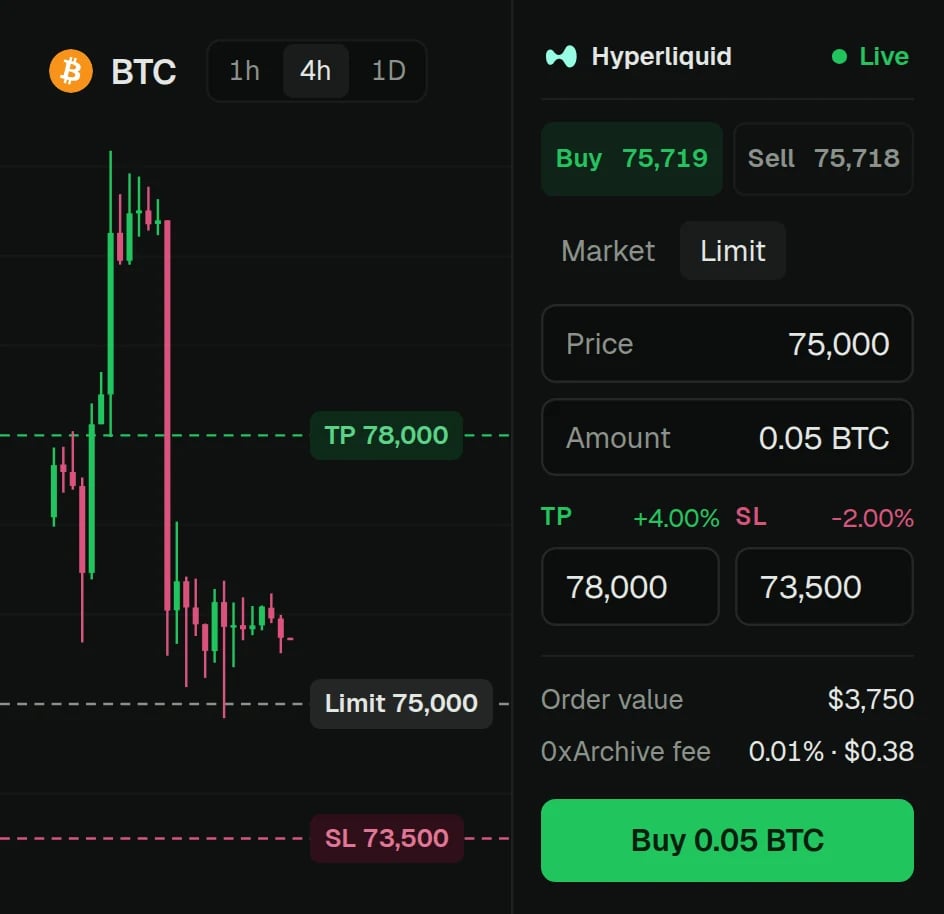
Start trading
1
Connect your wallet
Switch the top bar from Paper to Live, then connect a browser wallet or WalletConnect. The account needs funds on Hyperliquid first.
2
Approve the fee and a trading key
Your wallet signs two approvals: 0xArchive’s fee, capped at 0.02%, and a trading key that the Terminal creates in your browser. The key never leaves your device.
3
Trade
Orders now go straight to Hyperliquid with no wallet pop-up. Your wallet never signs an order.
The ticket
Market and limit
Take-profit and stop-loss set in the same ticket.
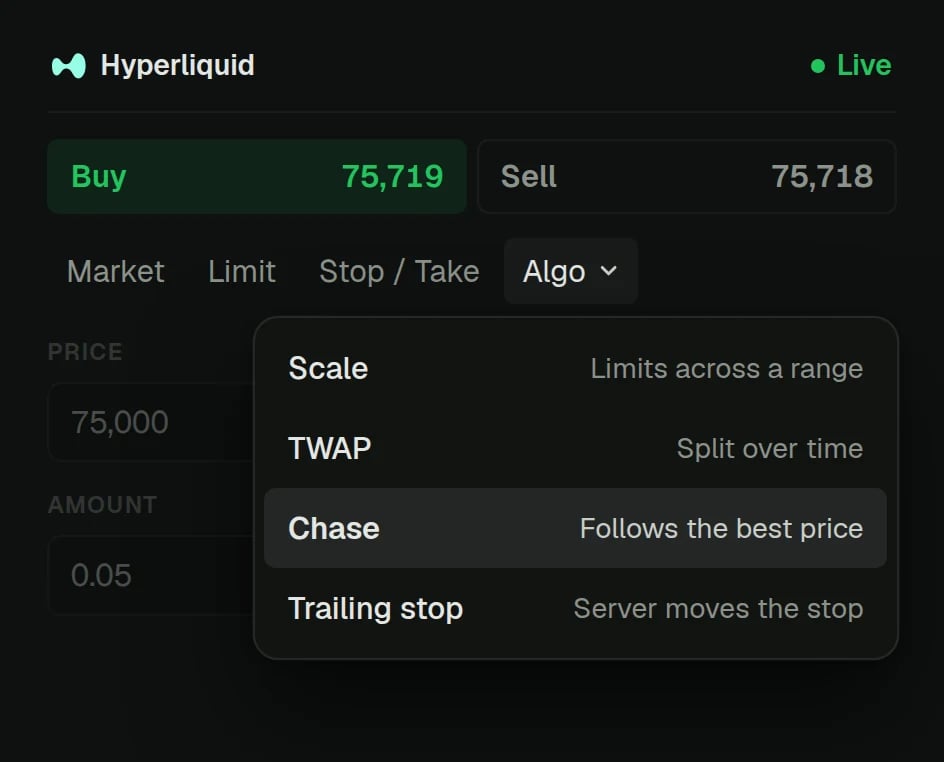
Scale
2 to 50 orders spread between two prices, evenly or skewed.
Chase and trailing stop
Chase keeps a limit order at the front of the book until it fills. A trailing stop follows the market.
TWAP
Hyperliquid’s own TWAP works an order over 5 minutes to 7 days, from 100 USD. No 0xArchive fee.
Reverse and close
Flip a position, close it with a preset, or close and reduce everything at once.
Baskets
Put several positions on in one order, and close them together.
Strategies that run with the tab closed
Algos and server strategies run on 0xArchive’s servers, so they keep trading after you close the browser. They trade only inside limits you sign: the markets, order sizes, exposure, leverage and how long the limits last, up to 30 days. The Runs panel shows everything running and stops any of it.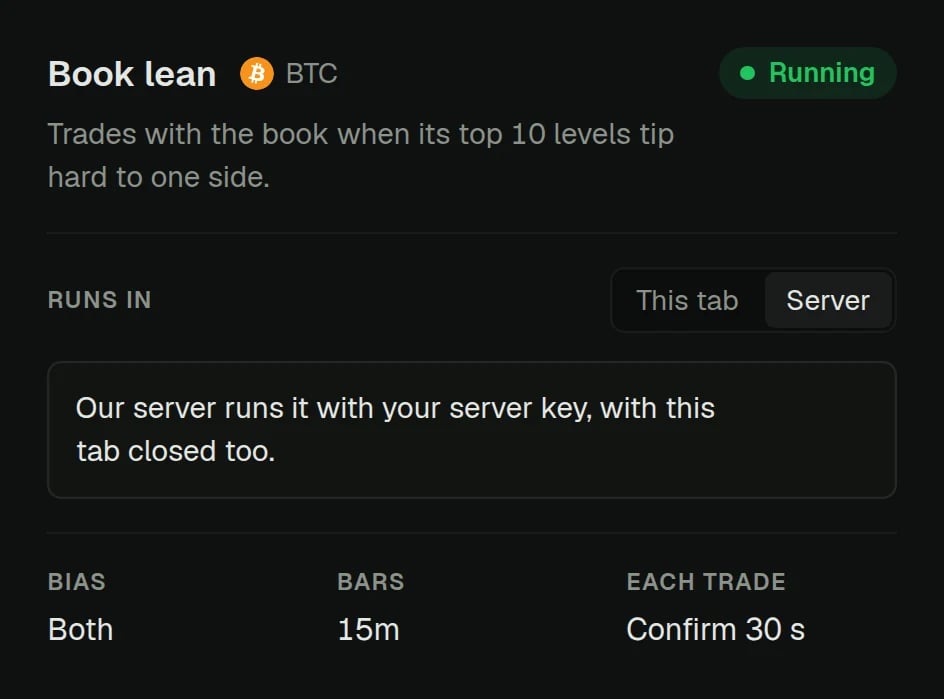
Turning server trading on takes one more approval: a server key, held in an isolated signing service built so that no one at 0xArchive can read or export it. An outage on our side or Hyperliquid’s can delay or skip a strategy’s orders. Orders already resting on Hyperliquid stay there.
Fees
A 10,000 USDC fill pays 1 USDC. Hyperliquid’s own trading fees and funding apply as usual. There is no subscription, and charts are free with no account.
Who can trade
Residents of the United States, the United Kingdom and sanctioned regions cannot trade, and you must be 18 or older. A restricted account can still cancel orders and close positions where the law allows. The Terminal Terms have the full rules.Stop and close
- Close: use a close preset on a position, or Close all from the positions panel.
- Stop a strategy: stop one run or all of them from the Runs panel. The server still places protective stops and exits on positions left open. Flatten closes every position on the account instead, including ones you opened by hand.
- Revoke: remove the trading key or server key on Hyperliquid at any time. Nothing signed with it is accepted after that, closing orders included.
Questions
Does 0xArchive hold my funds?
Does 0xArchive hold my funds?
No. Your funds stay in your Hyperliquid account, which your wallet controls. 0xArchive never asks for your seed phrase or private key.
What can the trading key do?
What can the trading key do?
The Terminal uses it only for trading: placing and cancelling orders, leverage and margin. Hyperliquid does not let a trading key withdraw or send funds to another account. Deposits and withdrawals always go through your wallet.
What happens if I close the tab?
What happens if I close the tab?
Orders resting on Hyperliquid stay there, stops included. Server strategies keep running. A new manual order needs the tab open.
Do I need server trading to place orders?
Do I need server trading to place orders?
No. Manual orders need only the fee approval and the trading key.
Can I try it without real money?
Can I try it without real money?
Yes. Paper mode uses the same ticket against simulated fills, with no fee.
Why can't I trade from my country?
Why can't I trade from my country?
The Terms exclude residents of the United States, the United Kingdom and sanctioned regions. Charts and data stay free for everyone.